The best AI tools for AI influencers in 2026 cover six distinct workflow categories: avatar creation, content writing, image generation, short-form video production, scheduling and automation, and performance analytics. Choosing the right tools in each category — and building them into a coherent production stack — is the operational decision that determines how fast an AI influencer account can grow, how consistently it can post, and how efficiently a solo creator can manage the entire workflow. For the full strategic framework behind building and scaling an AI influencer brand, see our complete guide to how to become an AI influencer in 2026.
Beginners often make the mistake of either using too many tools — creating a fragmented, slow workflow — or relying on too few and hitting production ceilings within weeks. The 12 tools in this guide represent the tested, optimised stack for a solo AI influencer creator: one or two best-in-class options per category, selected for beginner accessibility, free-plan availability, and proven performance in real AI influencer workflows.
Understanding which best AI tools for AI influencers to prioritise at each stage of growth is what separates accounts that scale efficiently from those that waste time and money on the wrong platforms. This guide makes that decision straightforward.
The best AI tools for AI influencers are software platforms that help creators build virtual avatars, generate images, write captions, create videos, schedule posts, and track performance. A strong AI influencer tool stack connects content creation, automation, analytics, and monetisation into one efficient workflow.
What You Will Learn in This Guide
In this AI tools for AI influencers guide, you will learn:
- which AI tools are most important for AI influencer growth
- how to choose tools by workflow category
- how to build a beginner-friendly AI influencer tool stack
- how to avoid wasting money on unnecessary tools
- how to connect tools with growth, analytics, and monetisation systems
Best AI Tools for AI Influencers: Complete 2026 Overview
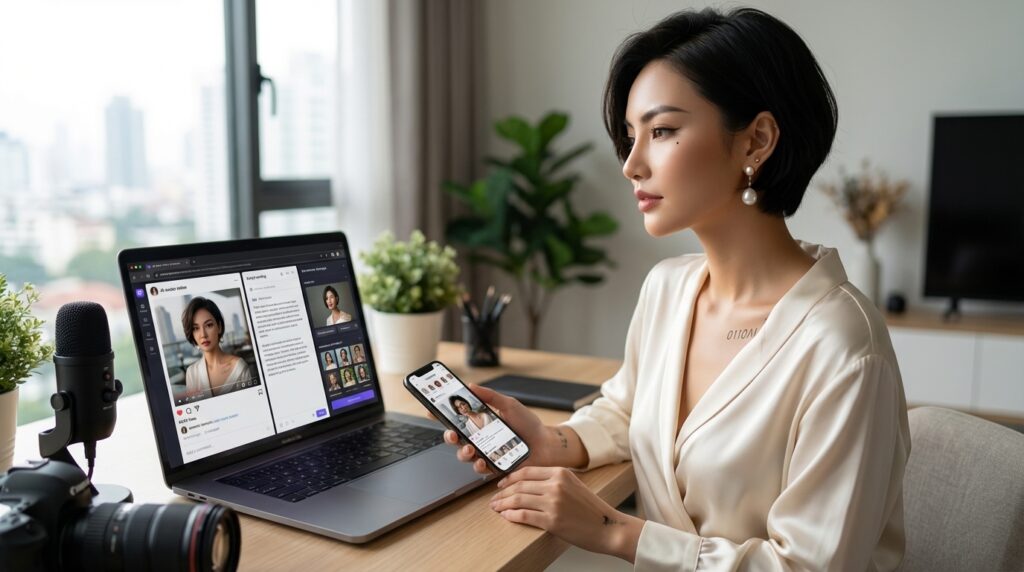
This overview covers how AI tools fit into the AI influencer production workflow, which categories are essential, and how beginners should approach building their initial tool stack. The 12 tools reviewed in depth below are selected for their direct impact on content quality, production speed, and audience growth.
How AI tools support influencer workflows
AI tools eliminate the three bottlenecks that prevent solo creators from maintaining the posting frequency and content quality required for consistent algorithmic growth: visual production (previously requiring design skill), video production (previously requiring editing expertise), and creative output (previously requiring daily manual effort). With the right AI stack, each of these bottlenecks is replaced by a tool that handles the technical execution while the creator focuses on strategy, character development, and audience building.
The most effective AI influencer workflows run sequentially: ChatGPT for ideation and scripting, Midjourney for character imagery, HeyGen for avatar video, CapCut for editing, Canva for branded graphics, Buffer or Later for scheduling, and Metricool for analytics. Each tool hands off cleanly to the next, and the full cycle from brief to published post takes 20–30 minutes per piece of content at production speed.
AI tools are not the strategy by themselves — they become powerful when they are connected into a repeatable content system where production, scheduling, analytics, and monetisation support each other. For the complete system that connects these tools into a structured growth operation, see the AI influencer growth system guide.
Categories of essential AI tools
The six essential tool categories for an AI influencer account are:
- Avatar creation — tools that generate and animate your AI character for video content
- Content writing — tools that produce scripts, captions, hashtags, and content ideas
- Image generation — tools that create photorealistic or stylised character and scene imagery
- Video production — tools that edit short-form video for Reels, TikToks, and Shorts
- Scheduling and automation — tools that distribute content across platforms without manual daily effort
- Analytics — tools that track performance metrics and surface strategy-informing insights
How beginners should choose their AI stack
Start with one tool per category and add complexity only when you hit a clear production bottleneck. The minimum viable starter stack is: ChatGPT (writing), Midjourney or DALL·E (images), D-ID or HeyGen free tier (video), CapCut (editing), Canva (graphics), Buffer free plan (scheduling), and Metricool free plan (analytics). This covers every category at zero or near-zero monthly cost and produces professional-quality output from day one.
Upgrade individual tools as your account scales. The upgrade priority order is: HeyGen paid plan first (for higher-quality avatar video as Reels become your primary growth driver), then Midjourney paid plan (for higher image resolution and faster generation), then Metricool paid plan (for competitor benchmarking as analytics become more strategic). Avoid paying for multiple tools simultaneously before understanding which category is your actual production bottleneck.
How to Use This Tool Stack Guide
If you are just starting:
→ Build the launch stack first
If you want faster content:
→ Focus on avatar, image, and video tools
If you want growth:
→ Add scheduling and analytics tools
If you want to monetise:
→ Connect your tool stack to revenue systems
If you want to scale:
→ Upgrade tools only when a clear bottleneck appears
Avatar Creation Tools for AI Influencers
Avatar creation tools are the foundation of any AI influencer account. They determine how your character looks in video, how consistently it can be reproduced across posts, and how convincingly it communicates on camera. The two tools below represent the current best-in-class options for AI influencer video production at beginner and professional tier respectively.
1. HeyGen
HeyGen is the leading AI avatar video platform for AI influencer accounts in 2026. It generates realistic talking-head video from a character image and a typed or uploaded script, producing natural lip-sync, facial expression, and voice performance that is indistinguishable from a professional video shoot at a fraction of the cost and time. A 60-second avatar video takes approximately five minutes to generate from a finished script.
HeyGen’s Avatar Studio feature allows creators to build a persistent character avatar that can be reused across unlimited videos — maintaining consistent character appearance without regenerating a new avatar for each piece of content. The platform also supports voice cloning, enabling you to build a custom character voice that remains consistent across all video output.
- Best for: Reels, TikToks, YouTube Shorts, and any video content requiring a talking character on screen
- Free plan: Limited monthly credits; sufficient for testing and early-stage production
- Paid plans: From approximately $29/month for creator tier
- Standout feature: Avatar consistency — same character across unlimited videos without prompt re-engineering
2. Synthesia
Synthesia is a professional-grade AI avatar video platform with a library of over 230 pre-built avatars and support for custom avatar creation from a photo. It is better suited to AI influencer accounts producing structured, scripted educational or tutorial video content than to accounts prioritising aesthetic, personality-driven character video — where HeyGen’s custom avatar quality holds a clear advantage.
Synthesia’s primary differentiator is its multi-language support: it can generate avatar video in over 130 languages from a single script, making it the tool of choice for AI influencer accounts targeting multilingual or international audiences. Its editing interface is more polished than HeyGen’s for longer-form structured video, with built-in scene management and slide-based video layout tools.
- Best for: Educational tutorial video, multi-language content, structured long-form AI influencer video
- Free plan: Limited monthly video minutes
- Paid plans: From approximately $29/month
- Standout feature: 130+ language support and professional multi-scene video editing interface
Avatar Tools Comparison
| Tool | Best For | Free Plan | Starting Price |
|---|---|---|---|
| HeyGen | Custom avatar Reels and TikToks | Yes — limited credits | ~$29/month |
| Synthesia | Educational and multilingual video | Yes — limited minutes | ~$29/month |
AI Content Creation Tools for Daily Posting
Content creation tools cover the writing and image generation tasks that make up the majority of daily AI influencer production: scripting Reels, writing captions, generating character imagery, and producing carousel slide copy. The two tools below handle the full creative output of a professional AI influencer account between them.
3. ChatGPT
ChatGPT is the central creative engine of any AI influencer production workflow. It handles every text-based production task: content ideation, Reel and TikTok scripting, caption writing in character voice, hashtag research, carousel slide copy, outreach email drafting, repurposing briefs, and analytics interpretation. For a solo AI influencer creator, ChatGPT replaces the equivalent of a full-time content writer and strategist.
The key to getting professional-quality output from ChatGPT is a well-developed character document — a detailed description of your AI influencer’s name, personality, voice, and recurring interests — that you include in every writing prompt. Output produced with a character reference is noticeably more distinctive and tonally consistent than generic prompts. For the complete breakdown of how high-output AI creators integrate ChatGPT into their daily production system, see our guide to how AI influencers create content every day.
- Best for: All text-based production — scripts, captions, ideas, hashtags, repurposing, outreach
- Free plan: GPT-3.5 available free; GPT-4o recommended for best output quality
- Paid plan: $20/month for ChatGPT Plus (GPT-4o access)
- Standout feature: Unlimited creative versatility — one tool handles every writing task in the workflow
4. Midjourney
Midjourney is the industry-standard AI image generation tool for AI influencer character creation in 2026. It produces photorealistic and stylised character imagery with a level of visual quality, consistency, and aesthetic control that no other consumer AI image tool currently matches. Your AI influencer’s visual identity — the face, styling, and world your character inhabits — is built and maintained through Midjourney prompts.
The key operational practice is saving your exact character reference prompts from the initial character creation session and reusing them in every subsequent image generation session. This prompt consistency is what produces the character continuity that audiences recognise across posts. If you’re building a broader creator identity alongside your AI character, our guide to how to build a personal brand using AI tools covers visual identity, brand positioning, and long-term brand-building strategy in depth.
- Best for: Character imagery, styled scene posts, carousel visuals, Reel cover art
- Free plan: No longer available; paid plan required
- Paid plans: From $10/month for Basic tier (200 images/month)
- Standout feature: Highest character image quality and visual consistency of any AI image tool
Content Creation Tools Comparison
| Tool | Best For | Free Plan | Starting Price |
|---|---|---|---|
| ChatGPT | Scripts, captions, ideas, repurposing | Yes — GPT-3.5 | $20/month (Plus) |
| Midjourney | Character and scene image generation | No | $10/month |
AI Video and Short-Form Content Tools
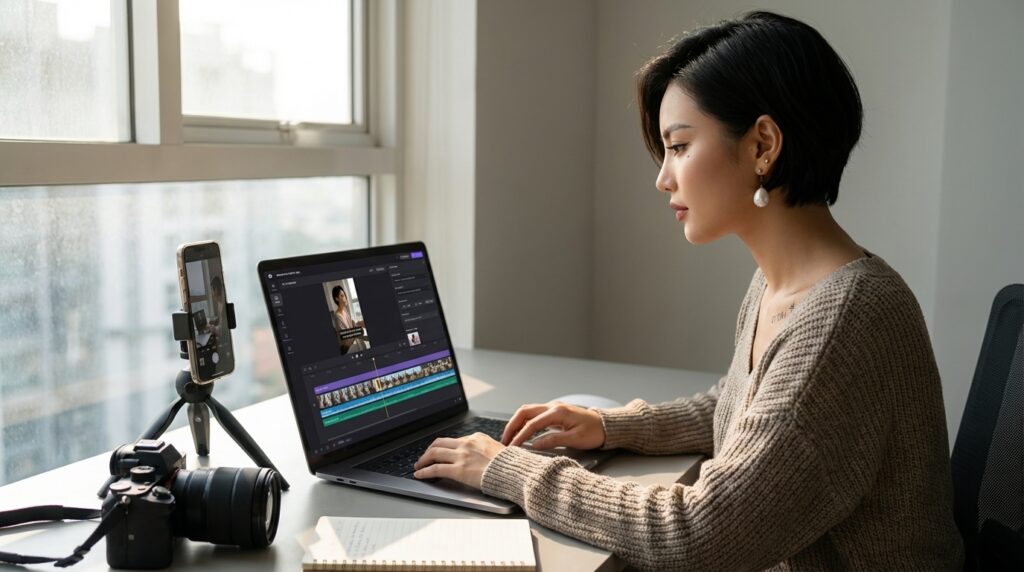
Short-form video is the highest-reach content format on every major platform in 2026. The tools below handle the two distinct phases of video production for AI influencer accounts: Runway for advanced AI video generation and scene creation, and CapCut for fast, polished short-form video editing and Reel production.
5. Runway
Runway ML is an advanced AI video generation platform that allows creators to generate video clips from text prompts, animate still images into video sequences, and apply professional-grade visual effects to existing footage. For AI influencer accounts, its most useful features are image-to-video animation — which brings a static Midjourney character image to life as a moving clip — and text-to-video generation for scene and background sequences.
Runway is best used as a supplementary video tool alongside HeyGen rather than a replacement for it. HeyGen handles talking-head character video; Runway handles atmospheric, cinematic, or abstract video content that adds visual variety to your feed. A lifestyle AI influencer might use Runway to generate ambient scene videos that frame their character in dynamic environments without requiring a full scripted avatar video production.
- Best for: Image-to-video animation, cinematic scene generation, visual variety content
- Free plan: 125 monthly credits on free tier
- Paid plans: From $15/month for Standard tier
- Standout feature: Image-to-video animation — bring static character images to life as short moving clips
6. CapCut AI
CapCut is the most widely used short-form video editing platform for AI influencer Reel and TikTok production. It handles the final editing stage of every video in your workflow: importing avatar video from HeyGen, adding auto-generated captions, applying background audio, inserting branded text overlays, adjusting pacing, and exporting in platform-optimised formats for Instagram and TikTok.
CapCut’s AI features include auto-captioning (which generates and styles on-screen captions from audio automatically), AI background removal, one-click scene transition effects, and a template library of trending Reel formats that can be applied to your footage in seconds. Its mobile app makes it the fastest editing tool available for creators producing content primarily from a smartphone, and its desktop version handles more complex multi-clip edits with the same interface.
- Best for: Final Reel and TikTok editing, auto-captioning, branded text overlays, export
- Free plan: Fully functional free plan covers all core editing features
- Paid plan: CapCut Pro from approximately $10/month for advanced AI features
- Standout feature: Auto-captioning — generates styled on-screen captions from video audio in one click
Video Tools Comparison
| Tool | Best For | Free Plan | Starting Price |
|---|---|---|---|
| Runway ML | Image animation, cinematic scene video | Yes — 125 credits | $15/month |
| CapCut AI | Reel editing, captions, branded export | Yes — full features | ~$10/month (Pro) |
Scheduling and Automation Tools
Scheduling tools are the distribution layer of an AI influencer workflow. They eliminate the daily manual effort of publishing content by automating posting at pre-set times across multiple platforms — turning a weekly content batch into an automated publishing schedule that runs without daily intervention. The two tools below are the most beginner-friendly options with the strongest free plans.
7. Buffer
Buffer is the most beginner-friendly social media scheduling platform available in 2026. Its clean, minimal interface makes it easy to upload content, write captions, select hashtags, and schedule posts across Instagram, TikTok, Facebook, LinkedIn, and Pinterest from a single dashboard. Its best-time-to-post recommendations are built directly into the scheduling interface — no separate analytics lookup required.
Buffer’s free plan supports three connected social channels and up to 10 scheduled posts per channel at any given time — sufficient for a new AI influencer account managing one to two platforms. Its AI Assistant feature generates caption variations and hashtag suggestions directly within the scheduling interface, reducing the number of tool switches required per post. Buffer is the recommended starting scheduler for any beginner AI influencer account.
- Best for: Beginners managing one to two platforms; clean scheduling workflow with minimal complexity
- Free plan: 3 channels, 10 posts per channel queue
- Paid plans: From $6/month per channel for Essentials tier
- Standout feature: Built-in AI assistant for caption and hashtag generation within the scheduling interface
8. Later
Later is the strongest scheduling platform for AI influencer accounts prioritising Instagram and TikTok as their primary growth channels. Its visual content calendar displays your scheduled posts as a grid preview — allowing you to verify the visual coherence of your feed before anything goes live — which is particularly valuable for AI influencer accounts where visual brand consistency is a strategic priority.
Later’s Linkin.bio feature turns your Instagram bio link into a shoppable landing page that maps to individual posts — the most effective tool for converting Instagram profile visitors into affiliate link clicks and digital product sales. For AI influencer accounts at the monetisation stage, Linkin.bio is a significant upgrade over basic link-in-bio tools. Later’s hashtag suggestion feature is also among the most accurate available, using engagement data rather than generic keyword matching.
- Best for: Instagram-first accounts; visual feed planning; affiliate monetisation via Linkin.bio
- Free plan: 14-day trial; limited free tier for one profile
- Paid plans: From $18/month for Starter tier
- Standout feature: Visual grid preview — see exactly how your feed looks before publishing
Scheduling Tools Comparison
| Tool | Best For | Free Plan | Starting Price |
|---|---|---|---|
| Buffer | Beginners, multi-platform, clean workflow | Yes — 3 channels | $6/month/channel |
| Later | Instagram-first, visual planning, Linkin.bio | Trial only | $18/month |
Analytics and Performance Optimization Tools
Analytics tools convert your posting activity into strategic intelligence: identifying which content formats earn the most reach, which posts drive the most saves, which posting times produce the highest early engagement, and how your account is performing relative to benchmark growth rates. The two tools below cover analytics needs from beginner to intermediate stage.
To know which tools are actually improving performance, track content results using a structured AI influencer analytics workflow — connecting tool output directly to the metrics that matter most for algorithmic growth.
9. Google Analytics
Google Analytics is relevant to AI influencer accounts that drive traffic beyond social platforms — to a blog, a landing page, a digital product storefront, or a link-in-bio hub. It tracks where your profile visitors come from, which posts drive the most off-platform clicks, how long visitors spend on your linked pages, and which pages convert at the highest rates. For accounts actively monetising through affiliate links or digital products, Google Analytics is essential for understanding the full conversion funnel from social post to revenue.
For accounts at the pure social media growth stage with no off-platform presence, Google Analytics is not a day-one priority. Add it when you set up your first external link destination — whether that is a Linktree, a Beacons page, or a dedicated landing page — and use it to track which social posts drive the most valuable traffic rather than just the most clicks.
- Best for: Off-platform traffic tracking, affiliate conversion analysis, link-in-bio performance
- Free plan: Fully free for standard Analytics
- Standout feature: Full conversion funnel tracking from social post to purchase or sign-up
10. Metricool
Metricool is the most comprehensive social media analytics platform available at free-plan tier for AI influencer accounts. It tracks reach, impressions, engagement rate, follower growth, best-performing posts, and optimal posting times across Instagram, TikTok, YouTube, LinkedIn, Pinterest, and Twitter/X from a single dashboard. Its competitor benchmarking feature — available on the free plan — allows you to track the performance of up to three competitor accounts alongside your own, providing strategic context for your metrics.
Metricool’s automated weekly email reports deliver a performance summary to your inbox without requiring you to log into the platform — keeping you informed of growth trends without adding a daily analytics review step to your workflow. For the full breakdown of how to use Instagram-specific analytics tools to accelerate account growth, see our guide to AI tools for Instagram growth.
- Best for: All-in-one social analytics, competitor benchmarking, automated weekly reporting
- Free plan: Full analytics for one profile per platform; competitor tracking for up to three accounts
- Paid plans: From $22/month for Advanced tier
- Standout feature: Competitor benchmarking on the free plan — track competitor performance without upgrading
Analytics Tools Comparison
| Tool | Best For | Free Plan | Starting Price |
|---|---|---|---|
| Google Analytics | Off-platform traffic and conversion tracking | Yes — fully free | Free |
| Metricool | Social analytics, competitor benchmarking | Yes — full features | $22/month (Advanced) |

2 Bonus Tools Worth Adding to Your Stack
Beyond the core ten, two additional tools are worth adding once your production workflow is established: one for AI design support and one for hashtag and growth research.
11. Canva AI
Canva is the graphic design layer of an AI influencer production stack. It handles every visual design task that falls outside of Midjourney character generation and HeyGen video production: feed post templates, carousel slides, Story graphics, Reel cover art, media kit design, and branded overlay elements for video. Its AI features — Magic Write for copy generation, Magic Edit for image modification, and AI image generation for supplementary visuals — are built directly into the design interface.
Canva’s Brand Kit feature is the most time-saving design tool for AI influencer accounts: upload your character image, brand colours, and fonts once, and every new template you create automatically applies your visual identity without manual re-configuration. The free plan covers the essential design features; Canva Pro (£10/month) unlocks the Brand Kit and a library of premium templates that significantly improve the professional quality of your branded content.
- Best for: All branded graphic design — feed posts, carousels, Stories, Reel covers, media kits
- Free plan: Strong free tier covering core design tools
- Paid plan: ~£10/month for Canva Pro (Brand Kit, premium templates)
- Standout feature: Brand Kit — one-time setup that auto-applies your visual identity to every new design
12. Flick
Flick is an AI-powered hashtag research and social analytics platform specifically designed for Instagram growth. Its hashtag search tool identifies niche-specific hashtag sets based on current engagement data rather than generic keyword popularity — producing hashtag recommendations that are significantly more likely to earn real distribution than those generated by generic tools. Flick also offers an AI caption generator trained on social media performance data, making its writing suggestions more platform-aware than general-purpose AI writing tools.
Flick is the right tool to add once you have established your core production workflow and are ready to start optimising your hashtag strategy systematically. At the early stage, free hashtag research within Later or Buffer is sufficient. Once you are posting consistently and want to test niche hashtag sets with rigorous data backing, Flick’s research depth is worth the monthly cost.
- Best for: Instagram hashtag research, niche hashtag set building, AI caption optimisation
- Free plan: Limited search credits
- Paid plans: From £14/month for Solo tier
- Standout feature: Data-driven hashtag recommendations based on current engagement rates, not generic popularity
Full 12-Tool Stack at a Glance
| # | Tool | Category | Free Plan | Est. Monthly Cost |
|---|---|---|---|---|
| 1 | HeyGen | Avatar video | Yes (limited) | ~$29 |
| 2 | Synthesia | Avatar video | Yes (limited) | ~$29 |
| 3 | ChatGPT | Writing & scripting | Yes (GPT-3.5) | $20 (Plus) |
| 4 | Midjourney | Image generation | No | $10 |
| 5 | Runway ML | AI video & animation | Yes (limited) | $15 |
| 6 | CapCut AI | Video editing | Yes (full) | $10 (Pro) |
| 7 | Buffer | Scheduling | Yes (3 ch.) | $6/ch. |
| 8 | Later | Scheduling + Linkin.bio | Trial only | $18 |
| 9 | Google Analytics | Traffic analytics | Yes (full) | Free |
| 10 | Metricool | Social analytics | Yes (full) | $22 (Adv.) |
| 11 | Canva AI | Graphic design | Yes (core) | ~£10 (Pro) |
| 12 | Flick | Hashtag research | Yes (limited) | £14 |
Beginners should not buy every tool at once. ChatGPT, Canva, CapCut, Buffer, and Metricool are enough for launch, while HeyGen, Midjourney, Later, and Flick become more useful once video quality, visual consistency, monetisation, or hashtag testing become clear bottlenecks.
A strong AI influencer tool stack directly supports monetisation by increasing content output, improving audience growth, and creating the consistency brands look for before partnerships. For the complete income stream activation framework that connects your tool stack to revenue, see the AI influencer monetization strategy guide.
How to Build a Simple AI Influencer Tool Stack
Building an effective AI influencer tool stack is a matter of matching the right tools to your current stage of growth — not acquiring every tool at once. The three-phase approach below gives beginners a clear sequence for adding tools without overcomplicating an early-stage workflow.
To understand when to add or upgrade tools, connect this stack to the AI influencer growth roadmap — the phased framework that maps production, content, analytics, and monetisation decisions across a full 12-month account development timeline.
Beginner tool setup workflow
Phase 1 — Launch stack (Month 1, target cost: £0–20/month): ChatGPT free tier, DALL·E via ChatGPT or D-ID free tier, CapCut free, Canva free, Buffer free plan, Metricool free plan. This covers every essential workflow category at minimal cost and produces professional-quality content suitable for launching a new account.
Phase 2 — Growth stack (Months 2–3, target cost: £40–60/month): Upgrade to ChatGPT Plus ($20/month) for GPT-4o quality, add HeyGen Starter or Creator plan ($29/month) for consistent avatar video production, and upgrade Canva to Pro (£10/month) for Brand Kit access. This phase upgrade is triggered when Reels become your primary growth driver and avatar video quality directly impacts follower acquisition.
Phase 3 — Scale stack (Month 4+, target cost: £80–100/month): Add Midjourney ($10/month) for highest-quality character imagery, Later ($18/month) for visual feed planning and Linkin.bio monetisation, and Flick (£14/month) for data-driven hashtag optimisation. Phase 3 tools are added when you have established a consistent posting cadence and are optimising for growth rate rather than production capability.
Integration tips for faster content production
The fastest AI influencer production sessions run in a fixed sequence with all tools open simultaneously: ChatGPT for the script, Midjourney for the image, HeyGen for the video, CapCut for editing, Canva for the caption graphic, and Buffer or Later for scheduling. Switching between tool categories mid-task — writing one caption, generating one image, then writing the next caption — is significantly slower than completing all tasks of one type before moving to the next.
Use ChatGPT to generate all content for the week in a single session before opening any other tool. Complete all image generation in a single Midjourney session. Produce all avatar videos in a single HeyGen session. This batching approach — grouping identical tasks together rather than producing each post end-to-end — is the operational habit behind all high-output AI influencer accounts. For the complete content batching and repurposing system, see the AI influencer content strategy guide covering how to plan and execute a full weekly production batch.
Common mistakes when choosing AI tools
The most common AI influencer tool mistakes are paying for tools before validating your production workflow, subscribing to multiple tools in the same category simultaneously, and upgrading scheduling or analytics tools before content quality and posting consistency are established. Tool spend should follow proven production output, not precede it.
A second common mistake is using tools in isolation rather than building a sequential workflow. Each tool in an effective AI influencer stack should have a clear upstream input and a clear downstream output. If a tool does not have an obvious place in your production sequence, it is adding complexity rather than capability. Remove it and reintroduce it only when a specific bottleneck appears that the tool addresses.
Good niche clarity also shapes which tools matter most early on — if you have not yet decided on your character direction or micro-niche, start with the AI influencer positioning strategy guide before investing in production tools, as positioning decisions directly determine which tool categories earn the highest return.
Frequently Asked Questions
Here are answers to the most common questions beginners have about choosing the best AI tools for AI influencers.
What are the best AI tools for AI influencers?
The best AI tools for AI influencers in 2026 cover six categories: HeyGen or Synthesia for avatar video, ChatGPT for content writing and scripting, Midjourney for character image generation, CapCut for short-form video editing, Buffer or Later for scheduling, and Metricool for analytics. Together, these tools cover every stage of the AI influencer production workflow from content ideation to published post.
For beginners, the most important tools to prioritise are ChatGPT (handles all writing), a free-tier avatar video tool (D-ID or HeyGen free plan), CapCut (video editing), Canva (graphic design), and Buffer (scheduling). These five tools are free or near-free and cover the complete production workflow for a new AI influencer account.
Do beginners need paid AI tools?
No — the minimum viable AI influencer stack is entirely free at launch. ChatGPT’s free tier, D-ID’s free plan, CapCut’s free plan, Canva’s free plan, Buffer’s free plan, and Metricool’s free plan together cover every essential workflow category at zero monthly cost. The quality ceiling of the free tools is sufficient for producing professional-quality content for a new account.
The first paid upgrade worth making is ChatGPT Plus ($20/month) for GPT-4o access — the quality improvement in scripting, caption writing, and content strategy output is significant enough to justify the cost once you are producing content at volume. The second upgrade is HeyGen’s paid plan when avatar video production quality becomes a direct constraint on your follower growth rate.
How many tools are enough to start?
Five to six tools is the right number for a new AI influencer account: one per essential workflow category, with no redundancy. Adding more tools before your core workflow is established creates complexity without adding capability. Most successful AI influencer accounts start with fewer tools than they eventually use and add tools deliberately in response to specific production bottlenecks — not in anticipation of them.
Which AI tool is most important for growth?
The single tool with the highest impact on AI influencer follower growth is HeyGen. Short-form Reel and TikTok content is the primary driver of new follower acquisition on both platforms, and HeyGen’s avatar video quality directly determines the watch-through rate — and therefore the algorithmic distribution — of every video you publish. Accounts that produce consistent, high-quality avatar Reels using HeyGen grow measurably faster than those relying on static image content alone.
The tool with the highest impact on content production efficiency is ChatGPT. It handles the majority of time-intensive creative tasks — ideation, scripting, caption writing, repurposing — that would otherwise consume the majority of a creator’s weekly production time. Without it, maintaining the posting frequency required for consistent growth is significantly more difficult for a solo creator.
Next Step — Build Your Full AI Influencer Strategy
The best AI tools for AI influencers in 2026 give beginners the production capability to create, distribute, and optimise content at a volume and quality level that was previously only achievable with a full creative team. Knowing which best AI tools for AI influencers to deploy at each stage of growth — and in what sequence — is the difference between a workflow that scales and one that stalls. The 12 tools in this guide cover every essential workflow category — from avatar creation and content writing through to analytics and growth optimisation — and most of them are free to start.
Tools alone do not build an audience — strategy does. For the complete ten-step framework covering every stage of AI influencer brand building: niche selection, avatar creation, content strategy, platform distribution, monetisation, and production scaling, see our complete guide to how to become an AI influencer in 2026. It covers exactly how to deploy the tools in this guide within a structured growth system that compounds month over month.
Learning how to choose the best AI tools for AI influencers is one of the most important steps toward building a scalable content system and long-term online income.