AI thumbnail generator tools for YouTubers are changing how new creators design click-worthy thumbnails in 2026 — no graphic design experience required.
Your thumbnail is the first thing a potential viewer sees before deciding whether to click your video. On a platform where thousands of videos compete for attention in every search result and recommendation feed, a compelling thumbnail is often the difference between a video that performs and one that gets ignored. For beginner YouTubers, creating thumbnails that compete with established channels has historically been one of the steepest challenges of starting a channel.
AI thumbnail maker platforms have removed that barrier. Today’s YouTube thumbnail design tools offer platform-specific templates, automated text overlays, one-click background removal, face enhancement, and instant export at the correct dimensions. What used to require Photoshop skills and hours of work now takes under ten minutes — even for creators who have never opened a design application.
This guide covers 10 of the best AI video thumbnail software options for YouTubers in 2026 — what each one offers, who it’s best suited for, and how to use it to create thumbnails that drive real click-through rate improvements.
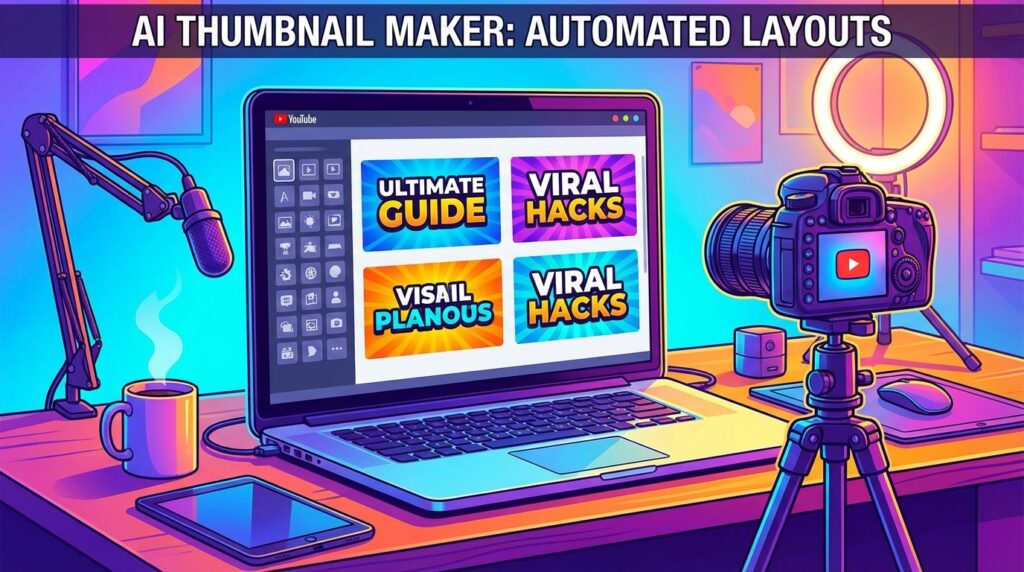
AI thumbnail generator tools for YouTubers are software platforms that use artificial intelligence to help creators design high-performing video thumbnails quickly. These tools automate layout, text placement, background removal, and visual styling, allowing beginners to create click-worthy thumbnails without design experience.
What You Will Learn in This Guide
In this AI thumbnail generator tools guide, you will learn:
- which tools are best for beginner YouTubers
- how AI improves thumbnail click-through rate
- how to design thumbnails faster
- how to choose tools based on your workflow
- how to scale thumbnail creation into a content system
Why AI Thumbnail Generator Tools for YouTubers Matter for Channel Growth
Thumbnails are one of the highest-leverage elements of a YouTube channel. A well-designed thumbnail can double or triple a video’s click-through rate compared to a poorly designed one — and click-through rate is one of YouTube’s most important ranking signals. AI thumbnail maker platforms give every creator, regardless of design skill, the ability to produce thumbnails that are genuinely competitive.
If you are building your channel as part of a broader online presence, understanding how to become an AI influencer gives you the full picture of what it takes to grow with AI tools from the ground up.
How thumbnails impact video views
YouTube’s algorithm uses click-through rate as a key signal to determine how broadly to distribute a video. A video that earns clicks when shown in suggestions gets shown more. A video that gets passed over gets shown less. Your thumbnail is the primary driver of whether a viewer clicks or scrolls past.
Studies of high-performing YouTube channels consistently show that thumbnails with bold text, expressive faces, high colour contrast, and a clear visual focus outperform generic or low-effort designs. The good news is that all of these qualities can be achieved using YouTube thumbnail design tools — no professional design training required.
Why beginners use AI for thumbnail design
For beginners, the alternative to AI video thumbnail software is either learning Photoshop (a significant time investment) or using generic thumbnail designs that don’t stand out in competitive search results. Neither is a good option for a creator who wants to grow quickly.
AI thumbnail maker platforms give beginners an immediate shortcut. They provide the design intelligence — layout, typography, colour theory — that would otherwise require years of design experience. Beginners can produce professional-quality thumbnails from day one, which means their first videos have the same visual presentation quality as channels with far more experience.
Common thumbnail design challenges AI can solve
AI thumbnail generator tools for YouTubers are specifically built to address the most common problems beginners face when creating thumbnails:
- No design skills — AI templates handle layout, fonts, and colour relationships automatically
- Inconsistent branding — brand kit features apply your colours and fonts to every thumbnail
- Poor background photos — one-click background removal replaces any photo instantly
- Unreadable text — auto text contrast tools ensure overlay text is always legible
- Wrong dimensions — YouTube-preset canvas sizes ensure correct export at 1280×720 pixels
- Time pressure — AI generation and template customisation takes minutes rather than hours
How to Use This Guide
If you are just starting:
→ Focus on simple tools like Canva
If you want better thumbnails:
→ use AI automation features
If you want growth:
→ improve click-through rate
If you want to scale:
→ connect thumbnails with full content system
What Makes a Good AI Thumbnail Generator for Beginners
Not every design tool is optimised for YouTube thumbnails. The best beginner-friendly YouTube thumbnail design tools share a specific set of features that make the thumbnail creation process fast, consistent, and click-worthy.
YouTube-optimized thumbnail templates
The best AI thumbnail maker platforms offer templates built specifically for YouTube’s 1280×720 pixel format and the visual conventions of high-performing thumbnails. This means templates that feature prominent text placement, space for a face or hero image, and high-contrast colour schemes designed to stand out in a feed.
Look for tools with large template libraries organised by channel category — gaming, vlogging, tutorials, fitness, cooking, finance — so you can find a starting point that already matches your content style and audience expectations.
Auto text overlay and font suggestions
Text is one of the most important elements of a YouTube thumbnail. Bold, readable text that summarises the video’s value proposition gives undecided viewers a reason to click. The best AI video thumbnail software makes it easy to add, style, and position text overlays without any typography knowledge.
Look for tools that offer font pairing suggestions, automatic text contrast adjustments (so your text is always readable against the background), and text effect presets — outlines, shadows, glows — that give your thumbnail text the pop that high-performing thumbnails consistently use.
Face enhancement and background removal
Facial expressions are one of the most powerful elements of a YouTube thumbnail. Thumbnails featuring expressive faces — surprise, excitement, curiosity, concern — consistently outperform thumbnails without faces in click-through rate studies. AI face enhancement tools can sharpen, brighten, and enhance facial features to make expression-based thumbnails more impactful.
Background removal is equally important. Being able to cut yourself or a product cleanly out of a photo and place it against a custom background gives your thumbnails a polished, intentional look that generic full-photo backgrounds cannot match.
Fast export and resizing options
Good AI video thumbnail software should make the final step — getting your thumbnail out of the tool and into YouTube — as frictionless as possible. Look for tools that offer:
- One-click export at exactly 1280×720 pixels (YouTube’s recommended thumbnail size)
- PNG download for crisp text and graphics with transparent element support
- JPEG download for smaller file sizes when PNG isn’t required
- Direct download without watermarks on free or affordable plans
10 Best AI Thumbnail Generator Tools for YouTubers
The following tools represent the best AI thumbnail generator tools for YouTubers available in 2026. Each has been selected for its ease of use, template quality, AI feature set, and ability to produce thumbnails that drive genuine click-through rate improvements.
1. Canva Thumbnail Maker
Canva is the most widely used AI thumbnail maker for beginner YouTubers, and with good reason. Its combination of a large library of YouTube-specific thumbnail templates, an intuitive drag-and-drop editor, and an expanding set of AI design features makes it the most accessible all-in-one option for creators who are new to thumbnail design.
Canva’s AI features include background removal, Magic Edit (which edits images using natural language), AI image generation for custom backgrounds, and a resize tool that adapts designs to multiple formats. Its free plan is generous for basic thumbnail creation, and the Pro plan unlocks the full AI toolkit including brand kit, premium templates, and content scheduling.
For creators who also produce social media graphics, presentations, or other branded content, Canva’s value multiplies significantly — all your brand assets live in one place and apply consistently across every format.
2. Adobe Express Thumbnail Creator
Adobe Express is Adobe’s beginner-friendly design platform and a strong alternative to Canva among YouTube thumbnail design tools. It offers a solid library of YouTube thumbnail templates, AI-powered background removal, text effects, and Firefly AI image generation for creating custom background imagery.
Adobe Express’s text effect tools are particularly strong for thumbnails — it offers gradient fills, outlines, shadows, and glow effects that give thumbnail text the bold, eye-catching treatment that high-performing channels use consistently. Its free plan includes core thumbnail creation features; the premium tier adds full Firefly AI generation and additional font options.
3. Snappa
Snappa is a straightforward, fast AI video thumbnail software option built specifically for digital content creators. Its emphasis is on speed — it’s designed to get you from blank canvas to finished thumbnail in under five minutes. Snappa offers pre-set canvas sizes for YouTube thumbnails, a curated template library, and a large stock photo collection.
Snappa’s editing tools are intentionally simple: add text, swap images, adjust colours, done. There are no complex layer systems or parameter panels to navigate. For YouTubers who want a no-frills AI thumbnail maker that does exactly what it promises quickly, Snappa is one of the strongest options. Its free plan allows three downloads per month; the Pro plan offers unlimited downloads.
4. Fotor Thumbnail Maker
Fotor is an AI-powered design and photo editing platform with a dedicated thumbnail maker that combines template-based design with professional image enhancement. Its AI tools include background removal, face retouching, photo enhancement, and an AI image generator for custom visual elements.
Fotor’s face enhancement tools are particularly useful for YouTubers whose thumbnails feature their own photo. The AI can automatically brighten skin tones, sharpen facial features, and enhance eye clarity — making expression-based thumbnails look more vivid and impactful without manual retouching. The free plan covers basic creation; the Pro plan unlocks unlimited AI features.
5. Simplified AI Thumbnail Generator
Simplified is an AI-powered all-in-one content creation platform that includes a capable AI thumbnail maker as part of its broader design toolkit. Its AI can generate complete thumbnail designs from a text prompt — enter your video title and channel style, and Simplified produces a ready-to-customise thumbnail layout automatically.
For YouTubers who are also managing social media content, Simplified’s integrated approach is a significant advantage. You can produce thumbnails, social media graphics, and video captions within the same platform, maintaining consistent branding across all your content touchpoints. Its free plan is generous with AI credits, making it one of the strongest free options for beginners.
6. Picsart Thumbnail Creator
Picsart is a popular mobile-first platform with strong YouTube thumbnail design tools through its iOS and Android app. For YouTubers who manage their channel primarily from a smartphone — filming, editing, and uploading on mobile — Picsart provides the best mobile thumbnail creation experience available.
Its AI tools include background removal, style transfer, sticker creation, and AI image generation. Picsart’s template library is extensive and skews toward bold, high-energy aesthetics that suit gaming, vlogging, and entertainment content particularly well. The free plan covers core features; a premium plan unlocks additional AI tools and premium assets.
7. Visme
Visme is a visual content design platform with strong YouTube thumbnail design tools that sit between Canva’s simplicity and more professional design software. Its template library includes YouTube-specific designs, and its editor offers more granular control over typography, colour, and layout than most beginner-focused tools.
Visme is particularly well-suited for educational, business, and tutorial-focused YouTubers who want thumbnails that look polished and informative rather than entertainment-focused. Its data visualisation tools also make it uniquely useful for creators who include charts, graphs, or infographic elements in their thumbnail designs.
8. Pixelied
Pixelied is a browser-based AI video thumbnail software option with a dedicated YouTube thumbnail maker that offers a large template library and a clean, intuitive drag-and-drop editor. Its templates are well-designed and regularly updated to reflect current high-performing thumbnail aesthetics, making it particularly useful for creators who want to stay current with design trends.
Pixelied’s AI background removal tool is fast and accurate, and its font library includes hundreds of display typefaces suited to bold thumbnail text. A lifetime access plan makes it a cost-effective choice for creators who want a capable AI thumbnail maker without ongoing subscription costs.
9. RelayThat
RelayThat takes a brand-first approach to thumbnail creation. You set up your channel’s brand colours, fonts, and logo once, and RelayThat automatically applies them across its entire template library — producing hundreds of on-brand thumbnail variations instantly, without any manual customisation for each new video.
For YouTubers who publish frequently and need to maintain consistent visual branding across a large volume of thumbnails, RelayThat’s automation is a genuine time-saver. Rather than restyling each thumbnail individually, you choose a layout and your brand is applied automatically. It’s particularly useful for channels with a clear visual identity that needs to be consistent across dozens or hundreds of videos.
10. PhotoRoom
PhotoRoom is a specialised AI tool built primarily around background removal and subject isolation. While not a full AI thumbnail maker in the way Canva or Visme is, PhotoRoom is an essential companion tool for YouTubers whose thumbnails feature product photography, face cutouts, or composed scenes built from multiple isolated elements.
PhotoRoom’s background removal is among the most accurate available, handling complex edges like hair, fine detail, and transparent objects with precision that generic background removers struggle with. After removing backgrounds, creators can apply clean colour backgrounds, gradient fills, or new scene backgrounds and export directly for thumbnail use. Its free plan is functional; the Pro plan adds batch processing and higher resolution exports.
Tools like Canva and Adobe Express are best for flexible design workflows, while Simplified and RelayThat are better for automated, high-volume thumbnail production.
Using AI thumbnail tools effectively is not just about creating visuals — it is about integrating thumbnails into a full content system where strategy, consistency, and analytics drive growth. To build that system correctly, review this AI influencer content strategy guide to understand how thumbnails fit within a broader publishing and growth framework.
How Beginners Can Create YouTube Thumbnails Using AI
AI thumbnail generator tools for YouTubers make every step of this process faster and more accessible. Many creators also rely on AI image generator tools for creators to produce supporting visuals and channel artwork — here’s a practical step-by-step workflow any beginner can follow.
Selecting thumbnail templates
Start by opening your chosen YouTube thumbnail design tool and filtering templates by category or style. Choose a template that matches your channel’s visual tone — bold and energetic for gaming and entertainment content, clean and professional for tutorials and education, warm and personal for vlogs and lifestyle.
Don’t overthink this stage. The template is a starting point, not a final design. Choose the one that’s closest to what you need and customise from there. Most of the visual impact of a finished thumbnail comes from the photo, text, and colours you apply — not the specific template you started with.
Adding text overlays and visual highlights
Once you’ve chosen a template, add your thumbnail text. Keep it short — three to five words maximum — and focus on the most compelling aspect of your video. What will make a viewer think “I need to watch this”?
Use your AI video thumbnail software’s text style presets to apply bold formatting, outlines, or shadow effects that make the text stand out against the background. Then add any visual highlights — arrows, circles, emoji, or sticker elements — that direct the viewer’s eye to the most important part of the thumbnail image.
Enhancing faces and adjusting backgrounds
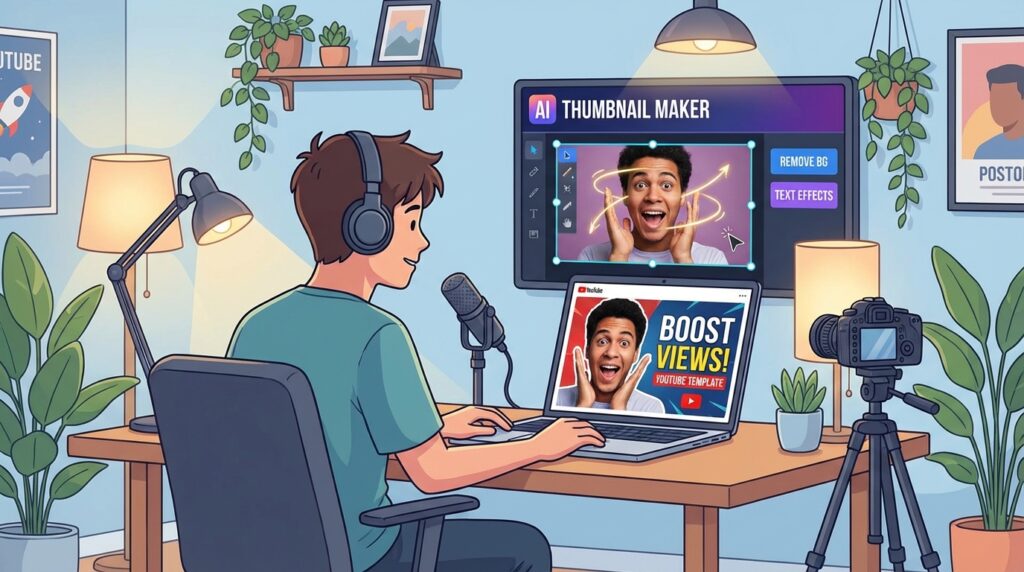
If your thumbnail features your face — which is recommended for most channel types — use the face enhancement tools to sharpen and brighten your expression. Then use background removal to cut yourself out of the original photo and place the cutout against a background that matches your thumbnail’s colour scheme.
A clean, colour-matched background behind a well-lit face cutout is one of the most reliable thumbnail formulas across all YouTube categories. It’s distinctive, it scales well at small sizes in feeds, and it creates a consistent visual identity across your channel’s video library.
If you’re also looking for tools to help with video editing and production beyond thumbnails, see our guide to AI tools for beginner video creators, which covers the leading platforms for editing, captioning, and publishing YouTube content in 2026.
Exporting thumbnails for YouTube upload
When your thumbnail is complete, export it at 1280×720 pixels in PNG or JPEG format. PNG is preferable when your thumbnail includes text or graphic elements with sharp edges; JPEG produces smaller file sizes for photo-heavy thumbnails.
YouTube’s maximum thumbnail file size is 2MB. Most AI thumbnail maker platforms export well within this limit by default, but check if you’re using very high-resolution images. Once exported, upload your thumbnail directly in YouTube Studio under the video’s Details tab — either during upload or by editing an existing video.
Tips for Designing Thumbnails That Get More Clicks
Understanding what makes high-performing thumbnails work will help you make better design decisions, regardless of which AI thumbnail generator tools for YouTubers you use. These principles are consistent across every successful YouTube channel.
High-performing thumbnails directly impact monetisation by increasing video views, watch time, and opportunities for brand deals and ad revenue. To understand how thumbnails connect with your overall income strategy, see this guide on AI influencer monetization strategy.
Use bold readable text
Thumbnail text needs to be readable at 168×94 pixels — the size at which thumbnails appear in YouTube’s mobile search results. At that size, thin fonts, complex scripts, and low-contrast text become illegible. Stick to bold, heavy typefaces with high contrast against the background.
Three to five words is the ideal range. Longer text forces smaller font sizes, which reduces readability at small display sizes. Every word should earn its place. If you can communicate the same idea in fewer words, cut the rest.
Focus on emotional facial expressions
Thumbnails featuring strong facial expressions consistently outperform those without faces in click-through rate studies across YouTube categories. The expressions that perform best are surprise, excitement, concern, and curiosity — emotions that signal to the viewer that something interesting, unexpected, or valuable is about to happen.
When photographing yourself for thumbnails, take multiple shots with different expressions rather than one neutral photo. You’ll have a library of expressive options to choose from, and you’ll find that some expressions consistently outperform others with your specific audience.
Keep color contrast high
High colour contrast makes thumbnails legible at small sizes and helps them stand out in feeds dominated by other content. The most effective thumbnail colour schemes pair a bright, saturated background with complementary accent colours and high-contrast text.
Study your top competitors’ thumbnails to understand the colour conventions in your category — then deliberately choose colours that differentiate your thumbnails from the crowd. Being visually distinctive in a category’s search results is itself a competitive advantage.
Test different thumbnail styles
The most successful YouTubers treat thumbnails as experiments rather than finished products. YouTube Studio’s built-in A/B thumbnail testing feature (available to eligible channels) allows you to test two different thumbnails against each other and measure which one drives a higher click-through rate.
Even without formal A/B testing, you can learn from your channel’s analytics which thumbnail styles, colour schemes, and text approaches consistently produce higher click-through rates with your audience. Build on what works and iterate away from what doesn’t.
To improve performance over time, track thumbnail click-through rates using this guide on analyzing AI influencer performance metrics.
Frequently Asked Questions
Here are answers to the most common questions beginner YouTubers have about AI thumbnail generator tools.
What are the best AI thumbnail generator tools?
For the most complete all-in-one AI thumbnail maker, Canva is the clear choice for beginners. For fast, no-frills thumbnail creation, Snappa delivers the quickest workflow. For mobile-first creators, Picsart is the strongest option. For automated brand consistency across high-volume publishing, RelayThat stands out. For accurate background removal as a companion tool, PhotoRoom is unmatched.
Are there free AI tools for YouTube thumbnails?
Yes — several strong YouTube thumbnail design tools are available at no cost:
- Canva — free plan with YouTube thumbnail templates and basic AI features
- Adobe Express — free plan with background removal and text effects
- Simplified — free plan with AI thumbnail generation credits
- Snappa — free plan with three thumbnail downloads per month
- Picsart — free plan with core design and background removal features
- PhotoRoom — free plan with background removal and basic export
Can AI design thumbnails automatically?
Yes. AI video thumbnail software like Simplified can generate complete thumbnail designs from a video title or text prompt, producing a ready-to-customise layout automatically. Canva’s Magic Design feature does the same within its platform.
While AI-generated thumbnails benefit from human review and minor personalisation — adding your own photo, adjusting the text to match your video’s specific angle — the quality of automatic generation in 2026 is high enough that the AI output often requires only minimal editing before it’s ready to upload.
Which thumbnail tool is easiest for beginners?
Canva is consistently rated the easiest AI thumbnail maker for beginners due to its intuitive interface, large YouTube-specific template library, and guided AI features. Snappa is a close second for creators who prioritise speed above all else.
For beginners who want the most automated experience possible — where the AI does the heavy lifting and they simply personalise the result — Simplified’s text-prompt thumbnail generation requires the least design input of any tool in this list.
Choosing the Right AI Thumbnail Tool to Grow Your Channel
Thumbnails are one of the highest-return investments a YouTuber can make in their channel’s growth. A thumbnail that increases click-through rate by even a few percentage points can double or triple a video’s total views over its lifetime — without any change to the video itself. AI thumbnail generator tools for YouTubers make achieving that improvement accessible to every creator, regardless of design skill or budget.
AI thumbnail generator tools for YouTubers have levelled the playing field, giving independent creators the same visual production capability that large channels with dedicated design teams once had as an exclusive advantage.
The right tool depends on how you work and what your channel needs. Start with Canva if you want the most complete, beginner-friendly all-in-one AI thumbnail maker. Use Snappa if speed is your priority and you want to produce thumbnails in under five minutes. Choose RelayThat if you publish frequently and need automated brand consistency. Add PhotoRoom to your workflow if background removal is a recurring need.
As your channel grows, your thumbnails should grow with it. Study your analytics regularly, pay attention to which YouTube thumbnail design tools and styles drive the highest click-through rates with your audience, and use AI video thumbnail software to test new approaches. The channels that grow fastest are almost always the ones that treat every thumbnail as an opportunity to improve.
Thumbnails do not operate in isolation — they are part of a larger system that includes content strategy, audience positioning, and performance tracking. To build that system with intention, explore the AI influencer growth system and the AI influencer growth roadmap for a structured path forward. If you want to sharpen how your channel stands out in a crowded space, the AI influencer positioning strategy guide covers how to differentiate your brand effectively.
Consistency, quality, and willingness to iterate are what separate channels that plateau from channels that grow. AI thumbnail tools give you the production capability to do all three — at any stage of your YouTube journey.
Learning how to use AI thumbnail generator tools for YouTubers effectively is one of the first steps toward building a scalable content system and long-term online income.