AI image generator tools for creators are transforming how digital content visuals are produced in 2026.
Custom visuals used to be one of the most expensive and time-consuming parts of content creation. Stock photography was limited, commissioning original artwork was costly, and creating images yourself meant learning complex AI image design software. Today, AI visual creation tools have changed that equation completely for creators of every skill level.
Today’s AI art generator tools allow creators to produce original, high-quality visuals from nothing more than a text description. Describe an image in a sentence or two — the style, the subject, the mood, the composition — and the AI generates it in seconds. The results range from photorealistic product shots to painterly illustrations to abstract digital art, all without touching a brush or a camera.
Whether you need blog thumbnails, social media visuals, YouTube channel art, brand imagery, or experimental digital artwork, there’s an AI image design software option built for the task. This guide covers 15 of the best AI image generator tools for creators in 2026 — what makes each one distinctive, who it’s best suited for, and how to get the most from it. For context on how AI visuals fit into a full creator system, see the AI influencer growth roadmap.
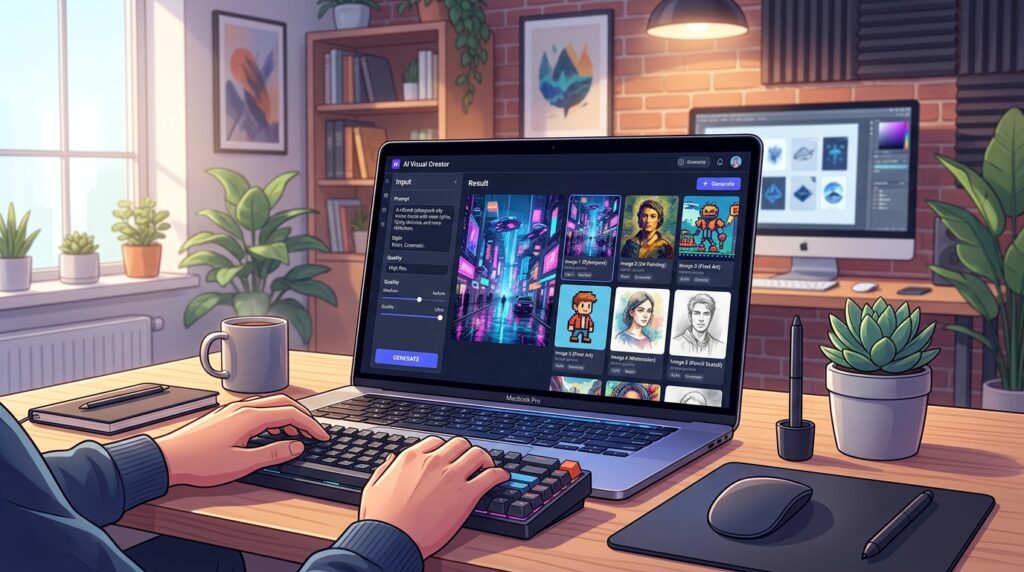
AI image generator tools for creators are software platforms that use artificial intelligence to generate original visuals from text prompts. These tools allow creators to produce blog images, social media graphics, and digital artwork quickly without design skills or expensive resources.
What You Will Learn in This Guide
In this AI image generator tools guide, you will learn:
- which tools are best for creators
- how AI generates high-quality images
- how to choose tools based on your workflow
- how to create visuals faster
- how to integrate AI images into a content system
Why AI Image Generator Tools for Creators Are So Popular
AI image generation has become one of the most widely adopted creative technologies of 2026. For content creators, the ability to produce original, custom visuals on demand — without a design budget or photography equipment — has unlocked creative possibilities that simply didn’t exist a few years ago.
How AI Tools Speed Up Image Creation
Traditional image creation — whether photography, illustration, or digital design — involves significant time investment before you have a usable asset. A photo shoot requires equipment, a location, and editing. An illustration requires hours of skilled work. A polished graphic requires AI image design software expertise.
AI art generator tools collapse that timeline dramatically. A detailed, high-quality image can be produced in under 30 seconds from a text prompt. Iterating on an idea — changing the style, the composition, the colour palette — takes another 30 seconds. Creators who once spent hours sourcing a single visual can now generate dozens of options in the time it takes to write a brief.
Why Creators Use AI Art Tools
For content creators, the appeal of AI visual creation tools goes beyond speed. It’s about creative control. Stock photo libraries offer limited options that often don’t match a creator’s specific vision. AI image generators produce exactly what you describe, in the exact style you specify, with no licensing restrictions.
This means a blogger can have a featured image that perfectly matches their article’s content and tone. A brand can have product mockups that match their exact aesthetic. A YouTuber can have channel art that reflects their unique personality. AI delivers visual specificity that stock libraries simply cannot match. A strong visual identity also supports your creator positioning — an AI influencer positioning strategy helps align your visual output with a clear and consistent brand direction.
Common Visual Content Tasks AI Can Automate
AI image generator tools for creators can now handle a wide range of visual content production tasks:
- Blog post and article featured image creation
- Social media graphic and post image generation
- YouTube thumbnail and channel art production
- Product mockup and concept visualisation
- Brand asset and icon generation
- Digital art and illustration creation
- Background and texture generation for design projects
- Portrait and character concept creation
How to Use This Guide
If you are just starting:
→ Focus on simple tools like DALL·E or Canva AI
If you want better visuals:
→ Use Midjourney or Leonardo AI
If you want to scale content:
→ Combine multiple tools
If you want to grow:
→ Connect visuals with a full content system
What Makes a Good AI Image Generator for Beginners
With 15 tools to evaluate, it helps to know what qualities separate the best beginner-friendly AI art generator tools from the rest. These are the features that make the difference between a frustrating experience and a genuinely productive creative tool.
Prompt-Based Image Generation
The best AI visual creation tools respond well to natural language prompts. You shouldn’t need to learn a specialised syntax or master a complex parameter system before you can produce useful images. The tool should understand plain, descriptive language and produce relevant results.
For beginners especially, look for tools that offer prompt suggestions, style presets, or example prompts to help you understand what kind of descriptions produce the best results. The learning curve for prompt writing is real, but the best AI image design software makes it as shallow as possible.
Style Customisation and Presets
Different creative projects require different visual styles. A blog thumbnail might need a photorealistic look. A social media post might suit an illustrated aesthetic. A brand asset might work best as a minimalist graphic.
The best AI art generator tools offer style presets — categories like photorealistic, cinematic, watercolour, oil painting, anime, flat design, and many more — that let beginners achieve a specific look without having to describe every stylistic detail in their prompt. Style presets dramatically reduce the trial-and-error that characterises early AI image generation experiments.
Image Upscaling and Quality Enhancement
AI-generated images are often produced at moderate resolutions. For many digital uses — social media, websites, thumbnails — that’s sufficient. But for print, large-format displays, or professional presentations, higher resolution is essential.
Look for AI visual creation tools that offer built-in upscaling features, which increase image resolution while preserving or enhancing detail. Some tools also offer outpainting (extending an image beyond its original borders) and inpainting (editing specific areas of an existing image) — powerful features for refining and expanding generated visuals.
Export Options for Content Platforms
Good AI image design software should make it easy to export your images in the right format and resolution for your intended use. Look for tools that offer:
- PNG export with transparent background options
- High-resolution JPEG for web and print use
- Direct download without watermarks, even on free plans
- Bulk export or download for high-volume workflows
15 Best AI Image Generator Tools for Creators
The following AI art generator tools represent the best options available to creators in 2026. Each has been selected for its image quality, creative flexibility, ease of use, and value for the creators most likely to use it.
1. Midjourney
Midjourney is widely regarded as producing the highest-quality AI-generated images available in 2026. Its outputs have a distinctively artistic, polished quality — with exceptional handling of lighting, composition, and texture — that sets it apart from every competing platform.
Midjourney operates through a Discord server interface, which has a slight learning curve for new users but becomes intuitive quickly. Its prompt system rewards descriptive, specific language and supports detailed style instructions. Version 6 introduced significant improvements to photorealism and prompt accuracy.
Midjourney is available via a monthly subscription with no free tier. It’s the go-to choice for creators who prioritise image quality above all else — illustrators, brand designers, art directors, and anyone producing visuals for professional or commercial use.
2. DALL·E
DALL·E, developed by OpenAI, is one of the most accessible AI image generator tools for creators who are just starting out. Available through ChatGPT Plus and the OpenAI API, it generates images from natural language descriptions and supports in-painting — editing specific areas of an existing image using text instructions.
DALL·E’s key advantage is its responsiveness to plain, conversational language. You don’t need to learn prompt engineering terminology to get good results — describe what you want in everyday language and DALL·E delivers a close interpretation.
It’s particularly well-suited for creators who use ChatGPT as part of their workflow, as image generation can be seamlessly integrated into the same conversation as writing, planning, and ideation.
3. Leonardo AI
Leonardo AI is a powerful AI visual creation tool that offers more creative control than most competitors. Its model selector allows creators to choose between different generation styles — photorealistic, anime, concept art, and more — and its fine-tuning options produce highly consistent results across multiple images.
This consistency makes Leonardo AI particularly valuable for creators who need a cohesive visual style across a series of images — for a blog series, a social media account, or a product line. Its real-time generation canvas shows results as you type, and the free tier is one of the most generous available, with 150 daily generation credits.
4. Adobe Firefly
Adobe Firefly is Adobe’s generative AI platform, and its key differentiator is commercial safety. All Firefly-generated images are trained on Adobe Stock and publicly licensed content, meaning creators can use outputs for commercial projects without copyright concerns — a significant advantage over some competing AI image design software.
Firefly’s text-to-image feature produces high-quality results with strong prompt accuracy. Its Generative Fill tool — integrated into Photoshop — lets creators add, remove, or extend image content using text instructions. Firefly is available for free with monthly generation credits, with additional credits available through Creative Cloud subscriptions.
5. Canva AI Image Generator
Canva’s built-in AI art generator tool is the most accessible entry point into AI image creation for beginner creators. Integrated directly into Canva’s design platform, it lets users generate custom images and immediately incorporate them into social media posts, presentations, or other design projects without switching between tools.
Canva’s generator is not the most powerful in terms of image quality — it doesn’t match Midjourney or Leonardo for artistic output — but its seamless integration into a design workflow makes it the most practical choice for creators whose primary need is graphics for digital content rather than standalone art.
6. Dream by Wombo
Dream by Wombo is one of the most popular mobile AI visual creation tools, available on iOS and Android. Its straightforward interface — enter a prompt, select a style, tap generate — makes it the simplest AI image option for creators who work primarily on smartphones.
Dream offers a wide range of artistic style presets ranging from realistic to fantastical, and its outputs have a distinctive painterly quality that suits social media art posts, mood boards, and experimental creative work. The free version includes basic generation; a premium plan unlocks higher resolution outputs and additional styles.
7. Playground AI
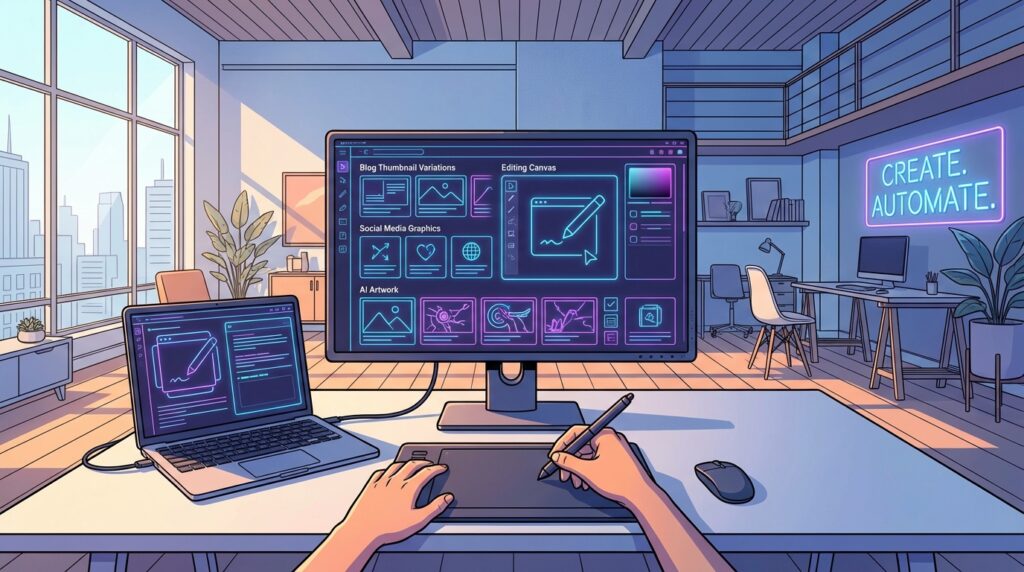
Playground AI is a browser-based AI image design software platform built on Stable Diffusion that offers creators a high degree of technical control without requiring any coding knowledge. Its interface allows adjustment of generation parameters — guidance scale, steps, seed values — in a way that’s more accessible than using Stable Diffusion directly.
Playground AI supports a wide range of artistic styles and allows creators to mix and blend styles for unique outputs. Its canvas editor supports inpainting, outpainting, and image-to-image generation. The free plan is generous at 500 images per day, making it one of the best free options for high-volume creators.
8. Ideogram
Ideogram is an AI art generator tool that solves one of the most persistent problems with AI-generated images: text. Most AI visual creation tools handle text within images poorly — producing garbled, illegible, or stylistically inconsistent lettering. Ideogram was built specifically to address this limitation.
For creators who need images with embedded text — promotional graphics, quote cards, title cards, infographic elements, or thumbnail text — Ideogram is the clear specialist choice. It generates visually attractive images with accurate, well-styled text that is difficult to achieve reliably with any other tool. The free plan provides generous daily credits.
9. NightCafe
NightCafe is an AI visual creation tool with a strong community dimension. Beyond generating images, NightCafe hosts daily challenges, galleries, and collaborative creation spaces where creators can share their work, vote on others’ images, and earn credits for participation.
For creators who want to develop their AI prompting skills, NightCafe’s community is a valuable resource — you can study what prompts produce which results, participate in themed challenges, and get feedback on your outputs. It supports multiple AI models including Stable Diffusion and DALL·E, and offers a credit-based free plan that rewards daily engagement.
10. Runway ML
Runway ML is a professional-grade AI image design software platform that goes beyond image generation to encompass video generation, motion tracking, background removal, and a growing suite of AI-powered visual tools. For creators who work across both static images and video content, Runway is the most versatile option on this list.
Its Gen-2 and Gen-3 video generation features can produce short video clips from text prompts or still images — making it particularly valuable for social media creators, YouTubers, and content teams who need both image and video assets. Its image generation and editing tools are professional quality, and the free plan offers 125 credits per month.
11. StarryAI
StarryAI is a mobile and web AI art generator tool with a strong focus on giving creators full ownership of their generated images — including for NFT creation and commercial use. Each generation produces images with no watermarks, and the platform explicitly supports creators who want to monetise their AI-generated art.
StarryAI offers two generation engines — Altair (for abstract and artistic outputs) and Orion (for more defined and structured imagery) — along with a range of style presets. The free plan provides five daily credits, and the platform’s mobile app makes it accessible for creators who generate images on the go.
12. Craiyon
Craiyon (formerly known as DALL·E mini) is the most accessible completely free AI visual creation tool available in 2026. It requires no account, no sign-up, and no credits — enter a prompt on the website and receive nine generated image options within 30–60 seconds.
The image quality is lower than premium tools like Midjourney or Leonardo AI, but for beginners who want to experiment without any financial commitment, Craiyon provides an immediate, zero-barrier entry point. It’s also useful for rapid concept exploration before committing to a premium generation.
13. Fotor AI Art Generator
Fotor’s AI art generator tool combines image generation with the platform’s broader photo editing capabilities. After generating an image, creators can immediately apply Fotor’s professional editing tools — colour correction, background removal, object removal, and retouching — within the same platform.
This makes Fotor particularly useful for creators who need images that combine AI generation with photo editing — product visuals, portrait enhancements, and composite images. The free plan includes limited AI generation credits; the Pro plan unlocks unlimited generation and the full editing toolkit.
14. Pixlr AI Image Generator
Pixlr is a long-established photo editing platform that has integrated AI image design software capabilities into its editing workflow. Its AI generator produces images that can be immediately edited in Pixlr’s full-featured editor — which supports layers, filters, masking, and advanced retouching tools.
For creators who need both generation and editing capability in a single browser-based tool, Pixlr offers a strong combination. Its AI generation feature supports both text-to-image and image-to-image workflows, and the free plan provides access to core generation and editing features.
15. Artbreeder
Artbreeder takes a fundamentally different approach to AI visual creation. Rather than generating images from text prompts, Artbreeder works by mixing and blending existing images together. You combine two or more source images — portraits, landscapes, characters, or abstract visuals — and adjust sliders to control how much of each source image influences the result.
This makes Artbreeder particularly valuable for character design, portrait creation, and concept art exploration. It’s also highly accessible for beginners who struggle with text prompting, as the visual slider interface is immediately intuitive. Artbreeder offers a free plan and a premium tier for higher-resolution exports and advanced mixing features.
Tools like Midjourney and Leonardo AI are best for high-quality artistic output, while Canva AI and DALL·E are better for fast, practical content creation workflows. Beginners often achieve the best results by combining both approaches — using a high-quality generator for hero visuals and a practical tool for day-to-day content needs.
How Creators Can Use AI Image Generators in Daily Work
AI image generator tools for creators fit naturally into every stage of a content workflow — from ideation to final production. Creators who also produce video content often use AI tools for beginner video creators to keep their visual identity consistent across formats. Here are four key use cases where AI image generation consistently saves time and improves output quality.
Using AI image generator tools effectively is not just about creating visuals — it is about integrating them into a full content system where consistency, strategy, and analytics drive growth. Creators who build that integration early develop stronger, more coherent presences across every channel they operate on. An AI influencer content strategy provides the strategic layer that makes visual consistency meaningful and purposeful.
Creating Blog Thumbnails and Featured Images
Featured images are one of the most frequent visual content needs for bloggers and content marketers. Every article needs an image that captures the topic, matches the brand aesthetic, and looks professional in a feed or social share preview.
AI art generator tools solve this problem completely. Describe the article’s subject and desired visual style, generate several options, and select the one that fits best. Tools like DALL·E and Canva AI are particularly well-suited to this workflow because they produce clean, editable images that can be resized and branded within minutes.
Designing Social Media Visuals
Social media requires a relentless supply of fresh visual content — and AI visual creation tools make producing that content significantly faster. Rather than searching stock libraries for images that only partially match your vision, you generate exactly what you need.
For social media use, tools like Leonardo AI and Midjourney produce images with the visual impact and aesthetic quality to stand out in crowded feeds. Ideogram is particularly useful for social content that includes text overlays. For creators who work primarily on mobile, Dream by Wombo delivers strong results from a smartphone.
High-quality visual content created with AI tools increases engagement and directly supports monetisation opportunities such as brand deals, affiliate marketing, and digital products. Creators who produce consistent, distinctive visuals build the audience trust that makes those opportunities accessible. A full AI influencer monetization strategy shows how visual output connects to revenue systems at scale.
Generating YouTube Channel Art
YouTube channel art — banners, thumbnails, profile images, and end screen graphics — has a significant impact on channel growth and viewer perception. Channels with consistent, high-quality visual branding perform measurably better than those without.
AI image design software allows creators to produce cohesive YouTube channel art quickly and at low cost. For creators who also need help with the video editing side of their YouTube workflow, see our guide to AI tools for beginner video creators, which covers the leading platforms for editing, captioning, and publishing video content in 2026.
Experimenting with Digital Art and NFTs
For creators interested in digital art as a creative or commercial pursuit, AI art generator tools provide an unprecedented creative sandbox. Tools like Midjourney, Artbreeder, and StarryAI are particularly popular among digital artists who use AI generation as a starting point for unique artwork.
StarryAI’s explicit support for NFT creation and commercial use makes it the strongest choice for creators who want to monetise AI-generated art. NightCafe’s community features make it valuable for creators who want to develop their AI visual creation practice within a supportive community.
Tips for Getting Better Results from AI Image Generators
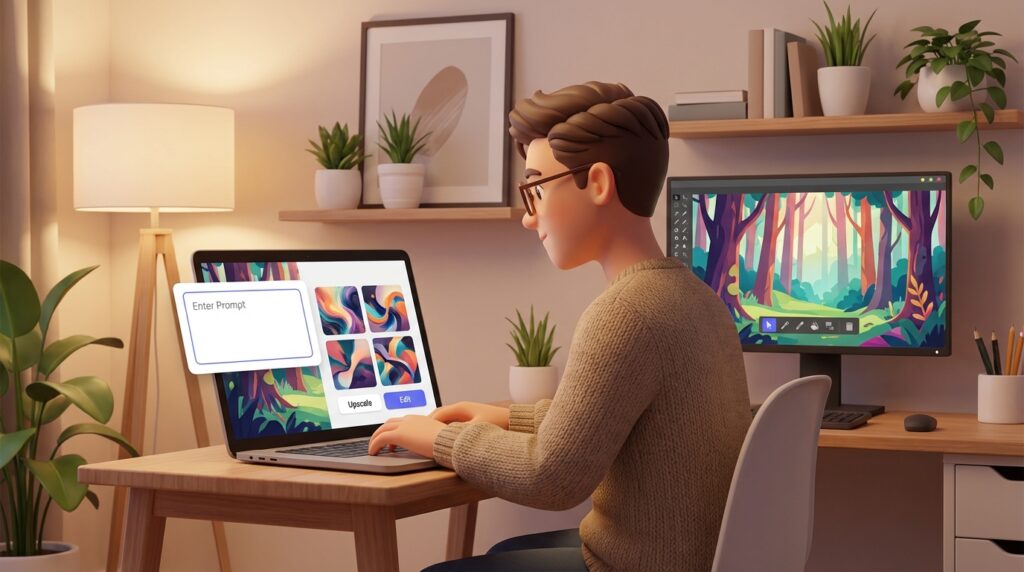
The quality of AI-generated images is directly tied to the quality of the prompts and settings used to produce them. These practical strategies will help creators get consistently better results from any AI visual creation tool.
Write Clear and Descriptive Prompts
Vague prompts produce generic results. The more specific and descriptive your prompt, the more distinctive and useful the output will be. A weak prompt: “a person in a city”. A strong prompt: “a young woman in a navy trench coat walking through a rain-soaked Tokyo street at night, neon reflections on wet pavement, cinematic wide shot, moody atmospheric lighting”.
Good prompts typically describe five elements: subject, setting, style, mood, and composition. Build a habit of including all five in your prompts and you’ll see a significant improvement in output consistency and quality.
Experiment with Different Styles
Most AI art generator tools support a wide range of visual styles, and experimenting with style is one of the fastest ways to develop creative versatility. The same subject described in a photorealistic style, a watercolour style, a flat design style, and a cinematic style will produce four completely different images — any of which might be perfect for a different use case.
Build a personal library of style prompts that work well with your content. Knowing which style descriptions reliably produce the aesthetic you want saves significant time when you’re working to a deadline.
Use Upscaling for Better Image Quality
Many AI image design software platforms produce images at moderate base resolutions. For professional use — large thumbnails, print materials, high-resolution displays — upscaling is essential. Most tools offer native upscaling; external tools like Topaz Gigapixel AI can also enhance AI-generated images significantly.
Always upscale before using an AI-generated image in a context where it will be displayed at large sizes. Low-resolution AI images can look soft or pixelated when stretched beyond their native size, undermining the professional impression you’re trying to create.
Combine AI Tools for Creative Workflows
The most productive AI visual creation workflows combine multiple tools for different stages of the process. A common approach:
- Use Midjourney or Leonardo AI to generate the base image at high quality
- Use Adobe Firefly’s Generative Fill to remove unwanted elements or extend the background
- Use Fotor or Pixlr to apply colour correction and final editing touches
- Use Canva to incorporate the final image into a designed social post or thumbnail
Each tool handles what it does best. Together, they produce results that no single AI art generator tool can match on its own.
To understand which visuals perform best with your audience, use this guide on analysing AI influencer performance metrics to track engagement and optimise your content. Data on which image styles, formats, and topics drive the most interaction is the foundation of a continuously improving visual strategy.
Frequently Asked Questions
Here are answers to the most common questions creators have about AI image generator tools.
What Are the Best AI Image Generator Tools?
The best tool depends on your priorities. For the highest image quality, Midjourney is the clear leader. For commercial safety, Adobe Firefly is the strongest choice. For beginners using a design platform, Canva AI is the most accessible. For consistency across a series of images, Leonardo AI is excellent. For images with embedded text, Ideogram is the specialist AI visual creation tool.
Are There Free AI Art Generators for Creators?
Yes — several excellent AI art generator tools offer meaningful free access:
- Craiyon — completely free, no account required
- Leonardo AI — 150 free daily credits
- Playground AI — 500 free images per day
- Adobe Firefly — free monthly generation credits
- NightCafe — daily free credits through community participation
- StarryAI — five free credits per day
- Dream by Wombo — free basic generation on mobile
Can AI Generate Professional Images?
Yes — tools like Midjourney, Adobe Firefly, and Leonardo AI produce images of professional quality that are used commercially in marketing, publishing, brand design, and digital art. The quality of AI image design software in 2026 is high enough that many creators use AI-generated visuals as primary assets without any additional editing.
For the most demanding professional applications — large-format print, detailed technical illustrations, or highly specific commercial briefs — AI-generated images may still benefit from human refinement. But for the majority of digital content creation needs, AI generation alone produces professional-quality results.
Which AI Image Tool Is Easiest for Beginners?
DALL·E is generally considered the most beginner-friendly option among AI image generator tools for creators because it responds well to plain, conversational language without requiring prompt engineering expertise. Canva AI is a close second, particularly for creators already using Canva for design work.
For beginners who prefer a visual rather than text-based approach, Artbreeder’s slider interface is the most intuitive introduction to AI visual creation — no prompting required.
Start Producing Better Visuals with AI Image Tools
AI image generator tools for creators have permanently changed what’s possible for independent content producers. In 2026, any creator — regardless of design skill, budget, or technical knowledge — can produce original, high-quality visuals that would have required expensive commissions or hours of skilled work just a few years ago.
The right AI image generator tools for creators depend on your specific workflow: whether you prioritise artistic quality, commercial safety, mobile convenience, or seamless integration with your existing design platform.
For the highest artistic quality, Midjourney is unmatched. For commercial use and copyright safety, Adobe Firefly is the clear choice. For beginners wanting the simplest entry point, DALL·E and Canva AI offer the smoothest start. For high-volume free generation, Playground AI and Leonardo AI provide exceptional value.
Understanding how to become an AI influencer puts your visual content in strategic context — great images are not just aesthetic assets, they are components of a compounding AI influencer growth system that drives audience, authority, and income over time.
As your AI image practice develops, you’ll naturally gravitate toward a combination of AI art generator tools that covers your full workflow — a high-quality generator for hero images, an AI image design software option for refinement, and a design platform to incorporate everything into finished content assets. The most important thing is to start experimenting. AI visual creation rewards practice. The more prompts you write, the more you’ll understand what each tool can do — and the more distinctive and powerful your visual content will become. Learning how to use AI image generator tools for creators effectively is one of the first steps toward building a scalable content system and long-term online income.